
If you want to send important documents such as Aadhaar copies, PAN documents, certificates, agreements, applications, letters or other papers, you can use India Post. For important documents, Speed Post Document is one of the most useful options because it provides tracking and delivery updates. India Post currently offers domestic Speed Post Document service for items up to 500 grams.
How to Send Documents by Post Office
The process is simple:
- Prepare your documents.
- Put them inside a suitable envelope.
- Write the sender’s and receiver’s complete addresses.
- Visit a Post Office.
- Ask for Speed Post Document.
- Submit the envelope at the counter.
- Pay the applicable postage.
- Collect the receipt and consignment number.
- Track the document online.
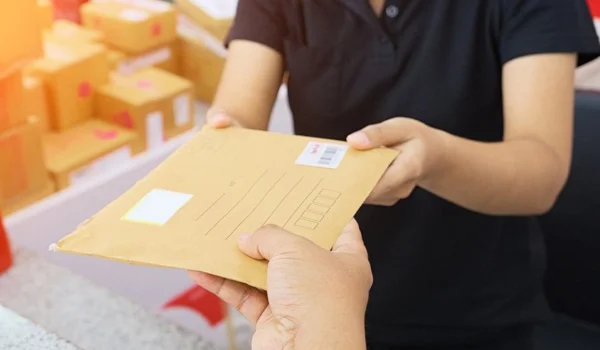
Step 1: Prepare Your Documents
Before visiting the Post Office, keep all documents properly arranged.
You can send documents such as:
- Application forms
- Educational certificates
- Legal documents
- Business documents
- Agreements
- Letters
- Aadhaar/PAN-related documents
- Insurance documents
- Bank documents
- Government applications
- Photocopies of certificates
If you are sending original documents, make sure you actually need to send the originals. For important certificates, keeping a scanned or photocopied backup is advisable.
Step 2: Choose the Right Envelope
Put your documents inside a good-quality envelope.
For important documents, you can use:
- A4 envelope
- Document envelope
- Sturdy paper envelope
- Tamper-resistant envelope
Make sure the envelope is properly closed.
India Post specifies that a domestic letter must be posted in a securely closed condition.
For multiple documents, use an envelope that is large and strong enough to prevent bending or damage.
Step 3: Write the Address Correctly
Write the receiver’s complete address clearly on the front of the envelope.
A good format is:
To:
Name of Receiver
House/Flat No.
Street/Colony/Locality
City, District
State – PIN Code
Mobile Number
Also write your details as the sender.
Example
To:
Rahul Sharma
A-25, Sector 15
Noida
Uttar Pradesh – 201301
Mobile: XXXXX XXXXX
From:
Amit Kumar
B-45, Rohini
Delhi – 110085
Mobile: XXXXX XXXXX
The correct PIN code is particularly important because it helps India Post route the article to the correct delivery office.
Step 4: Visit Your Nearest Post Office
Take the sealed envelope to an India Post office.
At the counter, tell the postal employee:
“Mujhe ye documents Speed Post se bhejne hain.”
The employee will check the article and calculate the applicable postage.
You can also ask whether any additional service such as Proof of Delivery or insurance is appropriate for your document.
Step 5: Choose Speed Post Document
For important documents, Speed Post Document is generally a convenient option.
India Post currently lists these features for Speed Post Document:
- Maximum weight: 500 grams
- Online tracking
- SMS delivery notifications
- Online booking facilities
- Optional insurance and other value-added services
- OTP-based secure delivery where applicable
The maximum dimensions for a Speed Post document are 420 mm × 297 mm × 24 mm.
Step 6: Pay the Postage
The Post Office employee will weigh your envelope and calculate the postage based on the service and destination.
As of August 1, 2026, India Post lists Speed Post Document rates starting at ₹19 for local consignments up to 50 grams and ₹47 for distance-based consignments up to 50 grams, with GST applicable.
The actual amount can vary depending on:
- Weight
- Destination
- Additional services
- Applicable taxes
So it is better to check the exact postage at the time of booking.
Step 7: Collect Your Receipt
After payment, the Post Office will provide you with a booking receipt.
Do not throw away the receipt.
It contains the consignment number, which you can use to track your document.
India Post provides an online Track & Trace facility for Speed Post.
Step 8: Track Your Documents
Once you have the consignment number:
- Go to the India Post website.
- Open Track & Trace.
- Enter your consignment number.
- Complete the required verification.
- Check the latest status.
The tracking system can show the movement of your article from booking through delivery.
How Long Does Speed Post Take?
India Post’s current service standards for Speed Post Parcel indicate average delivery times of around:
| Destination | Average Time |
| Local | 1–2 days |
| Metro to Metro | 1–3 days |
| Same State | 1–4 days |
| Rest of India | 4–5 days |
These are service standards/average indicators, not guaranteed delivery dates. Actual delivery can depend on the destination, booking time, holidays and operational conditions.
For documents, the Speed Post Document service is the more relevant category.
Can I Send Documents by Normal Post?
Yes. India Post also provides ordinary Letter and other domestic mail services.
However, if the document is important or time-sensitive, Speed Post is generally preferable because it provides tracking and delivery information. India Post describes Speed Post as a premium domestic service with tracking and SMS notifications.
Speed Post vs Normal Post for Documents
| Feature | Normal Letter | Speed Post |
| Suitable for documents | Yes | Yes |
| Tracking | Limited/depends on service | Yes |
| Faster service | No | Yes |
| SMS updates | No | Yes |
| Suitable for important documents | Less preferable | Recommended |
| Proof of Delivery | Depends on service | Available as an add-on |
| Insurance | Not generally applicable in the same way | Available subject to rules |
Can I Send Original Documents by Speed Post?
Yes, eligible documents can be sent through Speed Post.
However, if the document is extremely important, take precautions:
- Keep a scanned copy.
- Take a photograph of the document.
- Use a strong envelope.
- Write the complete address.
- Keep the booking receipt.
- Save the tracking number.
For high-value or irreplaceable documents, ask the Post Office about insurance and other available value-added services. Speed Post Document currently offers insurance up to ₹5 lakh, subject to applicable conditions.
Can I Send Documents Without an Envelope?
For ordinary letters, India Post requires a letter to be securely closed. For important documents, using a proper envelope is strongly recommended.
Do not simply hand loose papers to the Post Office counter.
Can I Send Documents Online Through India Post?
Yes. India Post’s Click N Book service allows customers to book certain Speed Post Documents and Registered items online, subject to the applicable conditions and availability.
For a normal individual sending one or two documents, however, visiting the Post Office counter is usually the simplest option.
Can I Send Documents Abroad by Post Office?
Yes. India Post offers International Speed Post (EMS) for international documents and merchandise.
International Speed Post can be booked at departmental Post Offices, and India Post provides online tracking. Country-specific weight and other restrictions apply.
For international documents, you should check:
- Destination country
- Required customs declaration
- Permitted contents
- Weight restrictions
- Applicable postage
Important Tips Before Sending Documents
Before handing over your documents, check these points:
- ✅ Correct receiver name
- ✅ Complete address
- ✅ Correct PIN code
- ✅ Sender’s address
- ✅ Receiver’s mobile number
- ✅ Documents properly arranged
- ✅ Envelope securely closed
- ✅ Correct postal service selected
- ✅ Booking receipt collected
- ✅ Tracking number saved
Frequently Asked Questions
- How can I send documents through the Post Office?
Put your documents in a secure envelope, write the sender and receiver addresses, visit a Post Office and ask for Speed Post Document. Pay the applicable charges and collect the receipt.
- Which Post Office service is best for important documents?
Speed Post Document is generally a good choice because it provides tracking, SMS notifications and other optional services.
- How much does it cost to send documents by Speed Post?
The price depends on the weight and destination. From August 1, 2026, India Post lists Speed Post Document rates starting at ₹19 for local consignments up to 50 grams and ₹47 for distance-based consignments up to 50 grams, plus applicable GST.
- Can I track my documents after sending them?
Yes. Use the Speed Post consignment number from your receipt on India Post’s Track & Trace facility.
- What documents can I send through Speed Post?
You can generally send eligible personal, legal, educational, business and government-related documents, subject to India Post’s applicable rules and prohibited-item restrictions.
- Can I send an Aadhaar card by Speed Post?
Eligible documents such as Aadhaar-related documents can be sent by post, provided the contents comply with India Post’s rules.
- Can I send a passport by Speed Post?
Sending a passport depends on the purpose and applicable postal/issuing-authority requirements. If you are sending an existing passport as a personal document, use a secure, trackable service and follow any instructions from the receiving authority.
- Can I send documents outside India?
Yes. International Speed Post (EMS) is available for international documents, subject to destination-country restrictions and documentation requirements.
- Do I need ID proof to send Speed Post?
Requirements can depend on the transaction and current India Post procedures. Carrying a valid ID is advisable, particularly for services requiring sender verification.
- What should I do with the Speed Post receipt?
Keep the receipt safely until the document has been delivered. The receipt contains the tracking/consignment information needed to check the shipment status.
Conclusion
Sending documents through the Post Office is straightforward. For important documents, Speed Post Document is a practical option because it offers tracking, SMS notifications and optional value-added services.
Simply pack the documents securely, write the complete address, visit an India Post office, choose Speed Post, pay the postage and keep your tracking receipt until delivery is confirmed.